
How NewsNation powers remote studio digital signage enabled by Amazon Signage Stick and Juuno
NewsNation, America’s fastest-growing network, replaced a patchwork of SD cards with a centrally managed digital signage solution — giving them instant, centralized control over on-air backgrounds for contributors from coast to coast.

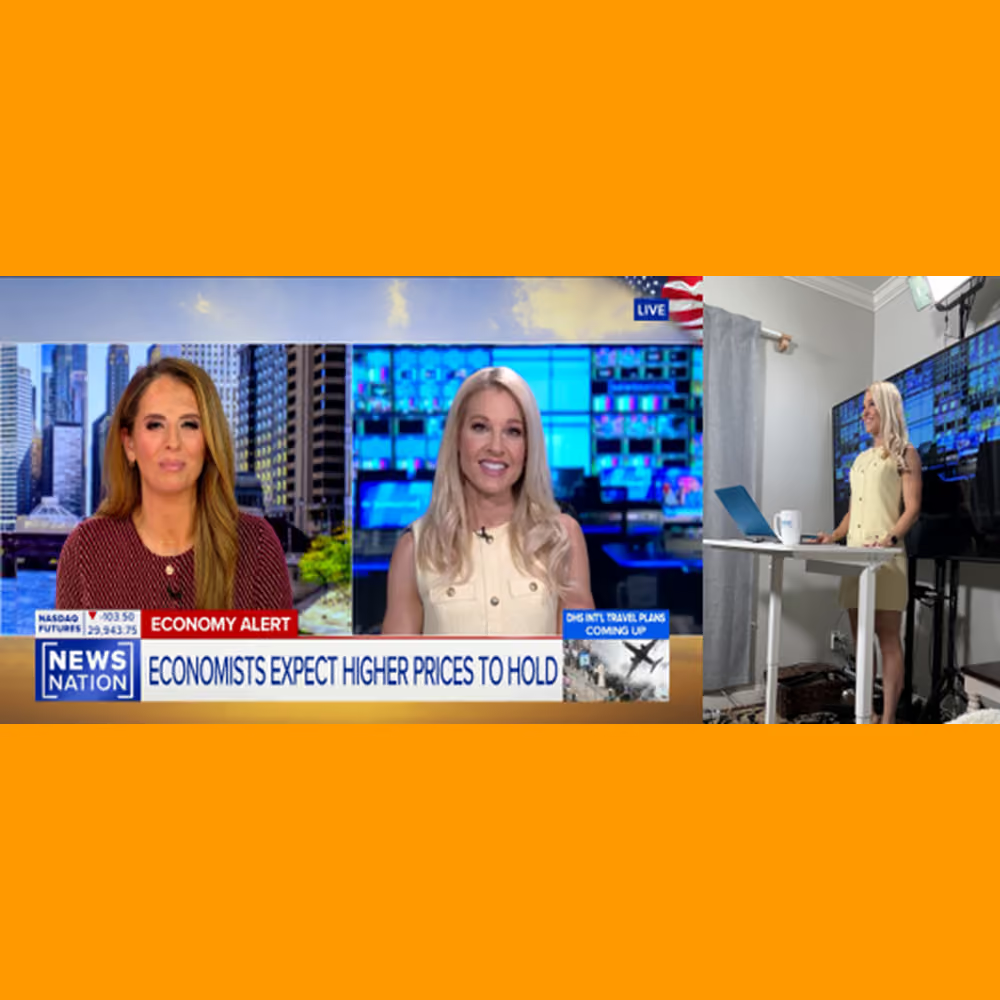
About NewsNation
NewsNation is a 24/7 national cable news network and the flagship property of broadcast giant Nexstar, operating studios in Chicago, New York, and Washington, D.C. The network has emerged as the fastest-growing in the country, regularly competing with established cable news outlets in the ratings.
The challenge: no control over remote backgrounds
The shift to remote broadcasting accelerated dramatically during the COVID-19 pandemic. “News networks, including NewsNation, quickly discovered that teleconferencing platforms like Zoom could get contributors on air from their homes. The catch: there was no way to control what appeared behind them,” explained Brett Kotheimer, Broadcast Operations Manager at NewsNation Chicago. He and his colleagues oversee a dedicated operations team that serves as the conduit between the IT department, newsroom staff, and technical operators — managing workflows, systems implementation, troubleshooting, and staffing.
Early workarounds relied on software-based virtual backgrounds — the kind that use AI to cut a person out of their frame and replace their surroundings with a still image. “While convenient, we found the results were inconsistent, especially when contributors moved or had complex backgrounds,” he added. The issue was compounded by NewsNation’s rapid deployment of home-based REMI (Remote Integration) solutions, such as bonded cellular and studio-in-a-box configurations, which bypass the videoconferencing platforms entirely and transmit high-resolution video straight to broadcast feed rooms. These technologies typically offer no virtual background capability at all.
“Then we discovered a more reliable, if deceptively low-tech, solution: place the largest available display set directly behind the on-air talent, and display a professional broadcast graphic on it,” Kotheimer explained. The approach works well visually — rather than keying out a background in software, the background literally exists in the room. But it introduced a new problem: keeping that display populated with the right graphic at the right time, without sending a technician on-site for every segment.
“Our original approach to remote background management involved loading still graphics onto SD cards and mailing them to contributors to load onto a local standalone media player, which was expensive, fragile, labor-intensive, and difficult to scale as the network's roster of remote contributors grew,” he concluded.
The solution: digital signage powered by Amazon Signage Stick + Juuno
Kotheimer explains, “in looking for a solution our team did extensive research on media players and determined the Amazon Signage Stick met our needs for a professional-grade device.” The key insight was choosing a purpose-built, dedicated signage device over a general-purpose streaming device. “Unlike a consumer Fire TV Stick and other consumer devices, the Amazon Signage Stick is built for digital signage: it boots directly into the assigned content and begins playing. There is no consumer app-selection interface, no chance a user accidentally navigates somewhere else, and no need for on-site technical assistance after initial setup,” he found.
“We then selected Juuno as the content management system (CMS) application that fit our needs of ease of use and affordability,” Kotheimer explained. The deployment workflow is straightforward: Amazon Signage Sticks are configured at NewsNation's Chicago facility and provisioned with the Juuno app before being shipped to our news contributors. “Once a contributor receives their unit, they only need to plug it into their display and update the Wi-Fi credentials — that’s it. The Amazon Signage Stick connects to the network and begins receiving content from Juuno automatically,” he added.
“We chose Amazon Signage Stick for its simplicity and reliability. It boots right up to the images we need. It also provides the remote management capabilities typically found in more expensive media player hardware. Being able to manage it from anywhere is critical in a live broadcast environment,” Kotheimer highlighted.
How it works on air
Each remote contributor studio follows the same setup: a large-screen television display is positioned directly behind the talent, with the Amazon Signage Stick feeding content via HDMI. Then a broadcast-quality background — either a still graphic or a looping video file — fills the TV frame. “The camera frames the talent against the TV, creating the appearance of a polished studio set from any of our on-air talents' living room or home office, it is as easy as that,” he explained.
“When a contributor participates across multiple programs in a week, operators can remotely swap the background graphic for each segment directly from the Juuno portal — no coordination with the contributor required,” he added.
Measurable results
- Centralized control: ~12 remote studio backgrounds managed from a single Juuno portal, accessible by any NewsNation operator
- Instant remote updates: Graphics swapped in real-time between segments — no SD cards, no file transfers, no on-site visits
- Fast deployment: New contributor studios only need to update the Wi-Fi credentials on the Amazon Signage Stick to go live
- Broadcast-quality output: Physical display backgrounds outperform software-keyed virtual backgrounds with no compositing artifacts
Looking ahead
Brett Kotheimer sees additional opportunities ahead. Mobile production trucks — essentially vans with a bar stool, a TV, and some lights — already use large-screen displays as contributor backgrounds on the road. Currently those trucks rely on local media players, but a cellular-capable signage device could extend the same centralized management to the field.
For an organization whose on-air product depends on split-second decisions and tight logistics, the ability to update a background from a browser window — rather than coordinate a file transfer with a contributor under deadline — has removed a real operational bottleneck. The cost-effectiveness of the solution makes it easy to scale.
“There's an affordable media player and digital signage software that can replace technology costing thousands. We found that with the Amazon Signage Stick and Juuno,” he concluded.
Learn more about the Amazon Signage Stick and the Juuno CMS application.
Resources
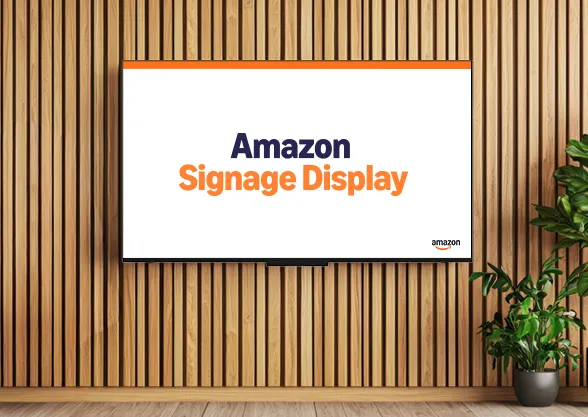
Digital signage made even simpler—introducing the Amazon Signage Display
Meet the Amazon Signage Display, a 55" 4K display with a built-in SoC media player, Ethernet, and Miracast. Same portal, app, and CMS support as the Amazon Signage Stick.
How smart hardware choices keep digital signage projects moving forward
Discover how IT teams are avoiding costly signage delays by pairing the right CMS with purpose-built media players—without ripping and replacing existing displays
Whether you deploy signage or buy it: simplified digital signage made reliable and scalable
Learn how Carousel, DataVisual, and Amazon Signage deliver simplified, scalable digital signage solutions that reduce complexity and operating costs for both resellers and end customers.